I made a Claude Code session manager for tmux

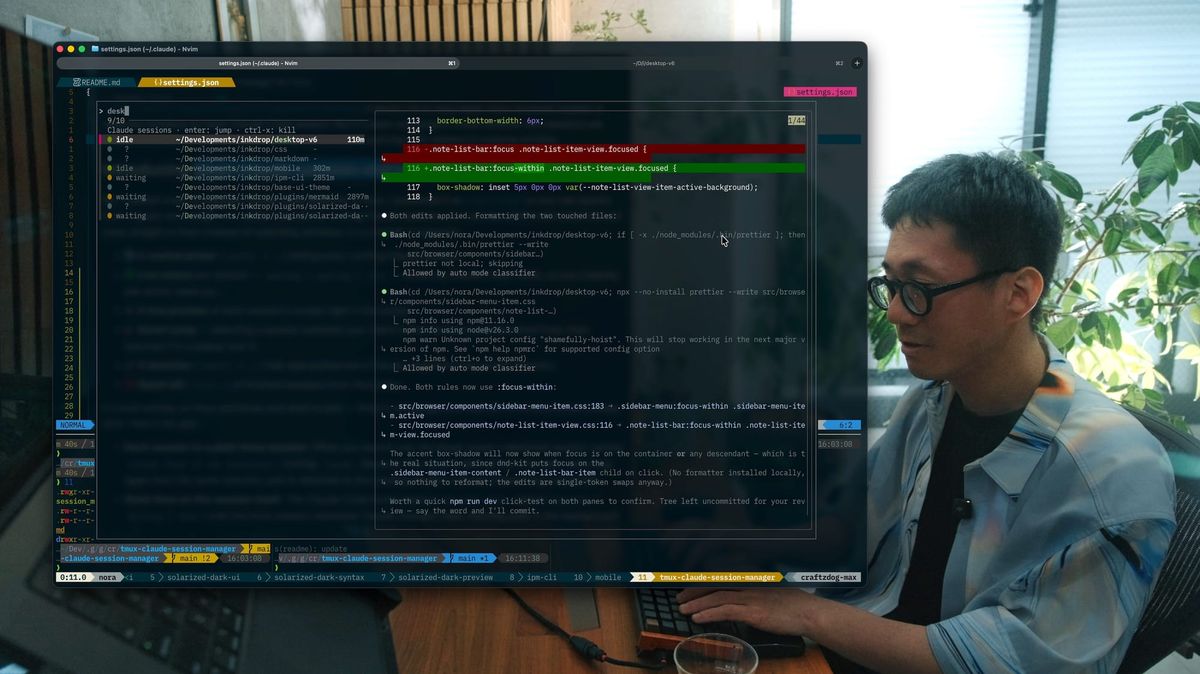
Hi, it's Takuya. I'm happy to introduce a tool for managing multiple Claude Code sessions in tmux. Here is a demo video:
First, let me share a bit about the journey that led me to build it. Or, you can just jump right to the repo here:
 craftzdog
Tightening the feedback loop so agents can move fast
Recently, I've read Christoph Nakazawa's blog post. He emphasizes the importance of the toolchain in boosting feedback loops and developer productivity to work efficiently with coding agents:
Working with coding agents is basically the same as working in a large organization: You drop new engineers without context on the codebase all the time, just like agents! The more constraints like lint rules, automated testing, and other methods of fast verification you put on the code, the faster people can iterate on their changes, and the faster they can get work done.
It inspired me to focus on updating my tool setup and DX in my project. First, I focused on improving tool performance.
For example, I recently migrated Inkdrop's build toolchain from webpack + Grunt to electron-vite@6-beta (Vite 8 + Rolldown). It made the production build 10x faster, and the dev build now launches almost instantly. Also, I installed @typescript/native-preview, a Go-based rewrite of TypeScript. It's super fast and has improved my AI development pipeline, because the AI often runs a typecheck on every task. Similarly, I migrated my linter from eslint to oxlint, and my formatter from prettier to oxfmt.
Next, the review process. I've been using the lazygit integration of snacks in Neovim. When I review changes across a lot of files, I use Yanuo's codediff.nvim. Since I often jump around files, I added an option to automatically open the diff when changing the selection in the explorer without pressing Enter (it got merged into codediff.nvim. Thanks, Yanuo🙏).
These improvements have been great for boosting feedback loops in a single project (bonus: without ever leaving the terminal screen or touching the mouse). As Christoph says, working with coding agents is like working in a large organization. It means you have a bunch of engineers to manage.
Juggling multiple sessions is annoying
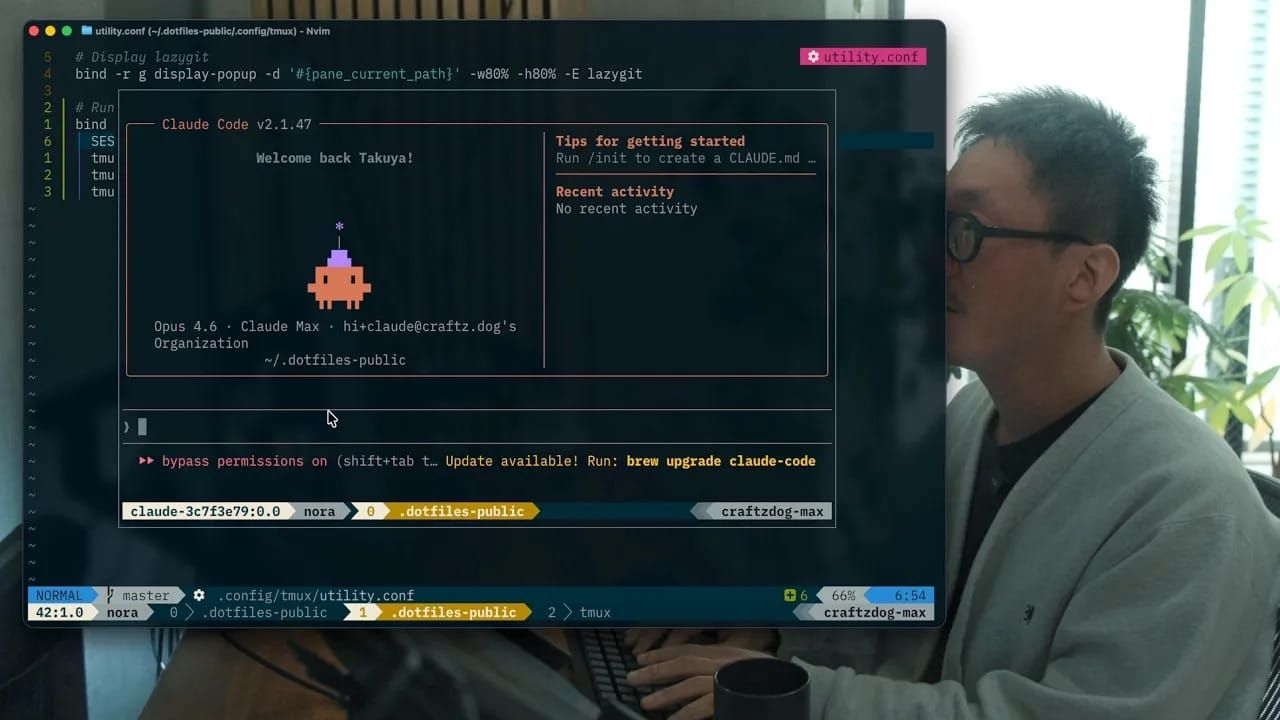
The next pain point in my workflow is managing multiple Claude Code sessions. I usually run multiple Claude sessions simultaneously, because I have a lot of modules and libraries to maintain, e.g., the desktop app, mobile app, theme module, markdown renderer, React Native libraries, etc. I shared a tmux tip on how to run Claude Code in a tmux popup window with persistent sessions. It allows me to have fewer tmux windows instead of separate windows for each Claude Code session. But it's been annoying to check whether any sessions are finished or need my answers by switching windows and opening each session in a popup window.
Introducing tmux-claude-session-manager
So, I created a tool to manage Claude Code sessions in tmux. I published it as a tpm plugin so you can quickly try it. It gives me a single fzf picker over all my running Claude sessions, so I can see which ones need me and jump straight to them instead of switching windows. In a nutshell, it supports:
- 🔢 A central picker (
prefix+u) listing every running Claude session. - 🟢 Live status per session —
working/waiting/idle— driven by
Claude Code hooks, so you instantly see which need you. - 👁️ A live preview of each session's screen right in the picker.
- 🎯 Smart jump — selecting a session switches your client to the window it
was launched from, then resumes it in a popup over it. - 🚀 A launcher (
prefix+y) that opens/attaches a Claude session for the
current directory. - ❌ Quick kill (
ctrl-x) of finished sessions from the picker.
It's built entirely on tmux primitives and shell scripts — there's no background daemon or extra process to keep alive. Here's the gist:
- Each session is a plain tmux session. When you launch one, the plugin starts a detached session named
claude-<hash of the directory>runningclaude. Because the name is derived from the path, launching again from the same directory just re-attaches to the existing session instead of spawning a duplicate. - State lives on the session itself. The Claude Code hooks stamp a
@claude_stateoption (working/waiting/idle) onto the tmux session whenever Claude changes state. Nothing polls in the background — the status is written the moment it changes. - The picker is fzf. It lists every
claude-*session, reads each one's state for the status dot, and shells out totmux capture-panefor the live preview. When you pick one, it switches your client to the window you originally launched it from (remembered in@claude_origin) and resumes the session in the popup.
Because everything is stored on the tmux sessions themselves, the state survives detaching, reattaching, and closing the picker — there's no separate database to get out of sync.
How to use it
Install
It's a tpm plugin, so installing it is one line in your ~/.tmux.conf:
set -g @plugin 'craftzdog/tmux-claude-session-manager'
Then hit prefix + I to install. You'll also need fzf (it powers the picker UI) and the claude CLI — both of which you probably already have.
Two keys to remember
The whole workflow comes down to two keybindings:
prefix+y— launch. Spins up (or re-attaches to) a Claude session for whatever directory your current pane is in, and drops you straight into it in a popup. Run it once per project, and you've got one session per repo, each named after its path.prefix+u— the picker. Opens an fzf popup listing every Claude session you've launched.
(Both keys are configurable — see the README if y and u are already taken in your config.)
The picker
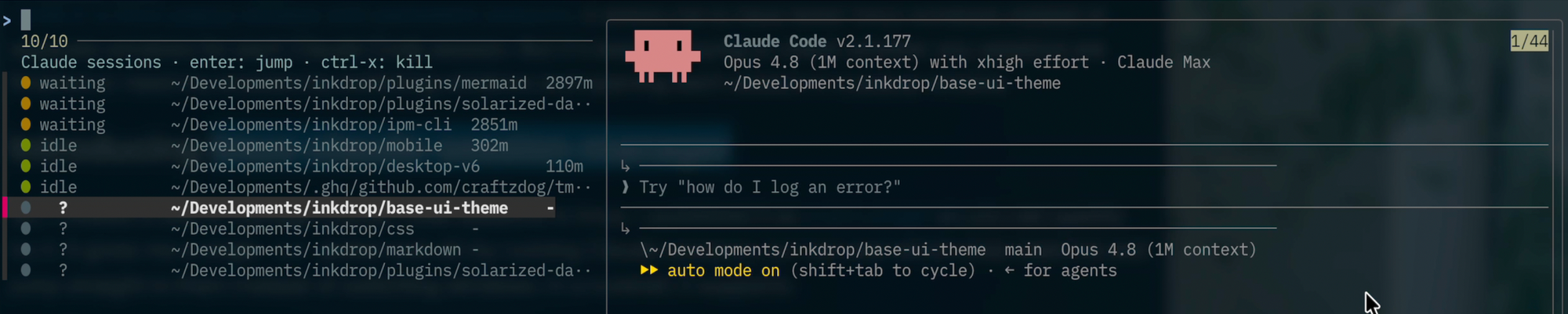
This is the part I built the tool for. Hit prefix + u from anywhere and you get a list of all your running Claude sessions, each with a colored status dot:
- 🔴 working — busy, leave it alone
- 🟡 waiting — needs your input (a permission prompt or a question)
- 🟢 idle — finished its turn, your move
The sessions that need you (waiting and idle) float to the top, so a glance tells you where to go next. On the right is a live preview of each session's screen, so you can see what Claude is actually doing without leaving the picker.
From there:
enterjumps to the highlighted session. It switches your client back to the window you originally launched it from, then resumes the session in a popup right there — so you land back in its context, not some random window.ctrl-xkills the highlighted session — handy for clearing out finished ones.- Type to filter,
↑/↓to move around. Standard fzf.
Turning on status (recommended)
Out of the box, the picker lists, previews, jumps, and kills — but the status dots stay ? until you wire up Claude Code hooks. The status is the best part, so it's worth the two minutes.
The hooks stamp each session's state onto its tmux session as Claude works:
| When Claude… | Status |
|---|---|
| starts working on a prompt | 🔴 working |
| asks for permission or a question | 🟡 waiting |
| finishes its turn | 🟢 idle |
You just add a small hooks block to ~/.claude/settings.json — the exact snippet is in the README. Claude Code picks up hooks dynamically, so there's no restart needed; your running sessions start reporting status on their next event.
That's the whole thing: prefix + y to start sessions, prefix + u to see who needs you, enter to jump in.
That's it. Hope it is useful for your terminal workflow with coding agents! Enjoy AI coding.