Inkdrop Roadmap vol.6: Completed 🎉 — Now preparing for the official v6 release

Hi folks, it's Takuya here, the solo developer of Inkdrop.
I'd like to report a status update on the Inkdrop project here. About a year and a half ago, I published the roadmap of Inkdrop vol.6. And I'm happy to announce that every planned feature and improvement on that roadmap is now done! 🥳
They all shipped as part of the v6 canary series — 21 canary releases so far, built and tested together with the community. When I wrote the roadmap, I honestly wasn't sure how long it would take. I would have been surprised if the me of that time had seen this result. Thank you so much for all your feedback along the way — I couldn't have done it without you.
Even beyond the roadmap, I've added so many new features and improvements.
So, I'm confident you'll enjoy it if you're coming from v5. Let's dive into what I accomplished along the roadmap, what came out of it beyond the plan, and what's next.
The tech debt is now paid off

What made the development slow down was the huge technical debt, as I mentioned in the past post. Inkdrop was originally built on the Atom editor's framework, and when Atom was sunsetted in 2022, many of the modules it depended on were no longer maintained. I had to replace them one by one while keeping the app stable — the hardest and least visible part of this journey.
With v6, that debt is finally paid off. Here's a quick before & after:
| v5 (Atom era) | v6 |
|---|---|
| CodeMirror 5 | CodeMirror 6 |
| LevelDB as the backing store | SQLite |
Bundled ipm (a fork of Atom's apm) |
Standalone, lightweight @inkdropapp/ipm-cli |
@electron/remote for database access |
Type-safe IPC bridges (~13x faster) |
| Semantic UI-based theme stylesheets | CSS variable-based theming |
| Webpack + Grunt | electron-vite with Rolldown (10x faster prod builds) |
| Less stylesheets | Plain CSS |
| Flow | TypeScript |
None of these are shiny features on their own.
But they're exactly what allowed me to ship everything you'll see below, and they make Inkdrop much faster to develop going forward.
The codebase is now modern, healthy — and honestly, fun to work on again.
Manpower is no longer the bottleneck for me
I'm an indie developer, and Inkdrop is a one-person project — so manpower has always been the bottleneck.
Paying off the tech debt was a particularly big headache: some of the inherited modules were so large that it originally took the whole Atom team to maintain them.
But thanks to the recent advancements in coding agents, that burden finally feels manageable — and even enjoyable to tackle.
AI didn't just speed up the coding; it changed how I work:
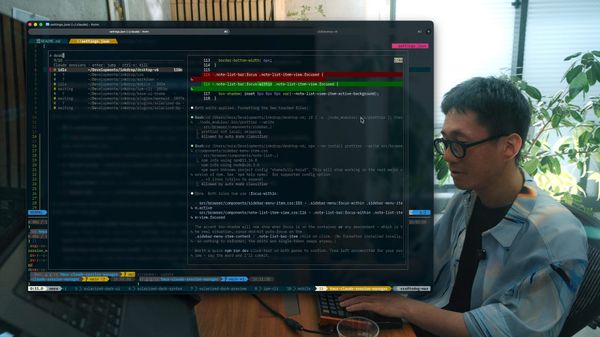
- I manage implementation plans as Inkdrop notes and let the agents work through them. Watch: Note-driven agentic coding workflow using Claude Code and Inkdrop
- I built and published a tool to manage multiple Claude Code sessions on tmux.
- While building the AI features, I had an agent explore Zed's source code and save the report to Inkdrop, to learn how it implements similar functionality.
These new workflows have opened up possibilities that simply didn't exist for solo developers before.
A refactoring of this scale used to be unthinkable for one person — now I can maintain a codebase that once took a team, and spend the saved energy on what matters most: the product itself and my users.
The roadmap checklist
Here's the roadmap vol.6, item by item, with what actually shipped:
- ✅ Share target & share extension — You can quickly stock web pages into Inkdrop from other apps on mobile. (v5.5.0)
- ✅ Command palette — It became Telescope, a versatile Spotlight-like search bar (the name is borrowed from telescope.nvim, haha). It fuzzy-searches commands, notebooks, tags, and the table of contents of the current note, with scope prefixes like
>for commands andbfor notebooks. It's extensible, so plugins can add custom sources. (canary.1) - ✅ Migrate to CodeMirror 6 — The biggest one. The whole editor was rebuilt on CodeMirror 6, and it enabled a bunch of new editing features: a floating toolbar, slash commands, GitHub Alerts syntax support, emoji autocompletion, autocompletion inside code blocks, and quick note-link insertion with
[[. (canary.1) - ✅ Outline view — Powered by Telescope. Click the
#button in the editor header (or runcore:telescope-toc) to jump between sections. It highlights the current section based on your cursor or scroll position, and even lists task items. It's provided as a plugin (telescope-toc), which doubles as a reference implementation for custom Telescope sources. (Thanks Basyura-san for the original sidetoc plugin!) (canary.6) - ✅ Preview pane improvements — Copy buttons for code blocks landed in both the preview and the editor, and double-clicking an image opens it in an image viewer. As a bonus, find-in-preview finally works — it highlights matches even across DOM elements, which is essential for finding text in code blocks. (Thanks q1701 and Basyura for the original plugins!) (canary.2, canary.4)
- ✅ Two-factor authentication — OTP-based 2FA is available for your account. (v5.11.0)
- ✅ Prepare for ARM64 & other platforms — This required repaying a lot of technical debt. I replaced the deprecated LevelDB backing store with SQLite, stopped bundling
ipm(which used to bundle all of Node.js and npm!), and rebuilt it as a lightweight standalone CLI (@inkdropapp/ipm-cli). As a result, Inkdrop now supports ARM64 on Windows and Linux, plus Flatpak and AppImage packages for modern Linux distros. (canary.1, canary.4, canary.5) - ✅ Improve image upload speed — Attachments are now uploaded in parallel via signed URLs, so syncing image-heavy notes is significantly faster. (canary.12)
- ✅ Diff view for revision history on desktop — The diff view I loved on mobile is now on desktop, too.
- ✅ Notebook icons — You can assign custom icons to notebooks from a picker with 1,500+ icons from the Lucide icon set, with category tabs and search. Icons show up everywhere — the sidebar, Telescope, and notebook selectors. (canary.9)
- ✅ Visualize your progress and achievements — The activity stats view shows how many notes you created and tasks you worked on over the past 52 weeks, along with your current and longest streaks. Note-taking is a contribution to your work, after all! (canary.14)
- ✅ AI integrations — Shipped as an opt-in, bring-your-own-API-key design, so you stay in control of your data. The inline AI assistant transforms selected text in place with built-in prompt presets (proofread, summarize, Mermaid diagrams, Markdown tables, and your own custom prompts). Next Edit Suggestions predicts your next edit like GitHub Copilot — set to manual trigger by default so it doesn't distract you — and it can even draw context from your linked notes and backlinks. (canary.16, canary.18, canary.20)
Beyond the roadmap – so many QoL improvements
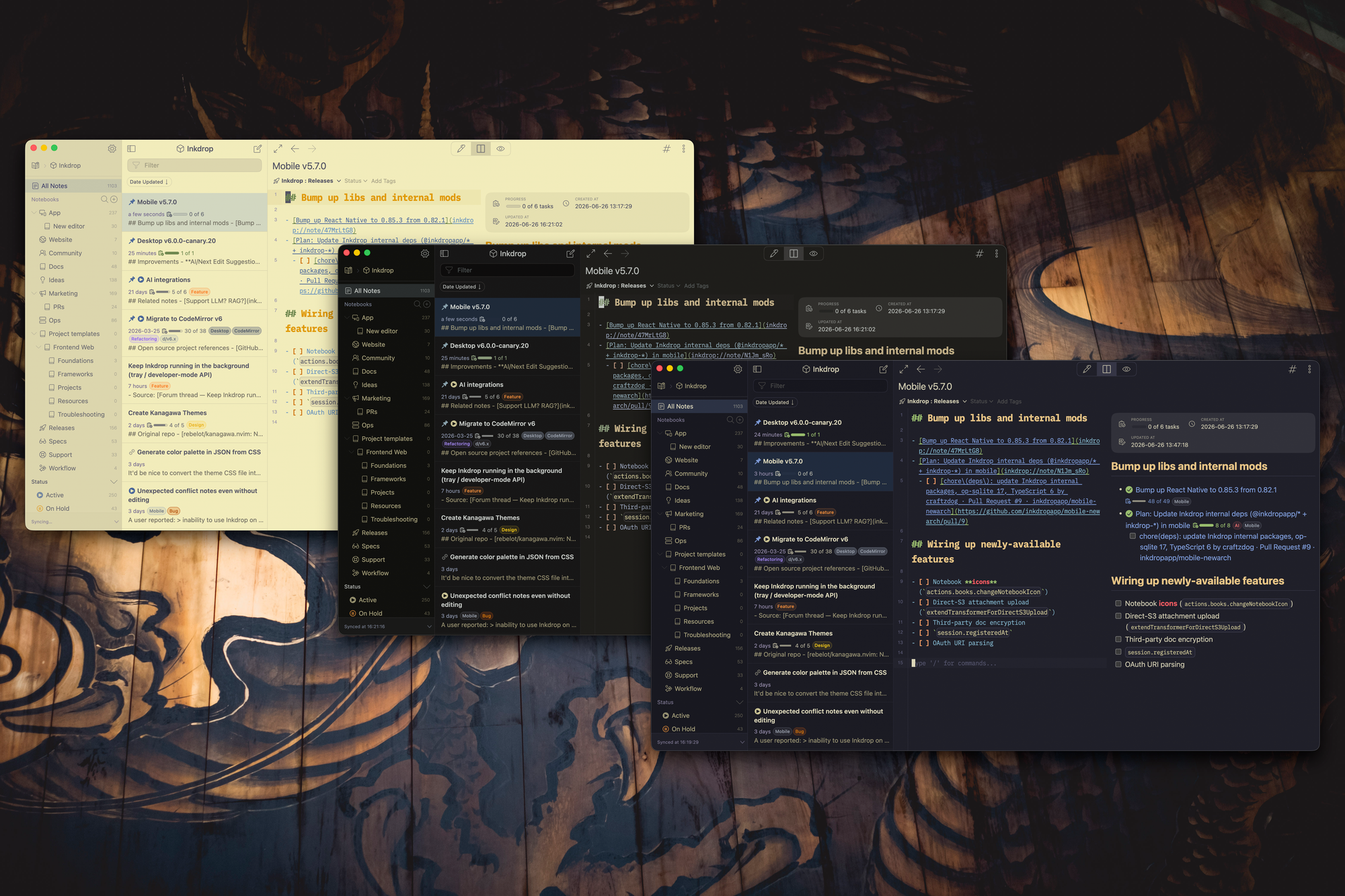
The roadmap was only half the story. While working through it, I ended up rebuilding a huge part of the app and shipping a lot of features that weren't planned. Here are the highlights, grouped by area:
Editor
- Reading highlights — Select text and hit the highlight button to wrap it in a
<mark>tag, rendered beautifully in the preview. Perfect for emphasizing what resonates in your reading notes. (canary.3) - Native spellcheck support — The editor now uses the OS-native spellchecker. (canary.10)
- Smarter link pasting — Pasting a URL now suggests link formats inline through the autocompletion menu instead of a dialog, and the page title is fetched in the background so nothing interrupts your flow. (canary.15)
- Create a note from
[[autocomplete — Start typing a title after[[, choose "Create new note," and it's created, linked, and opened in one step. (canary.16) - Little things that add up — ToDo item strikethrough, link-open tooltips,
editor:move-line-up/downcommands (Thanks Lukas and TheRabidOstrich!), View menu toggles for line numbers / line wrapping / readable line length, and a refurbished editor header with navigation back/forward, view mode buttons, and a native action menu (Cmd/Ctrl+J). (canary.2, canary.3, canary.12, canary.18)
Preview
- Embed GitHub code snippets by pasting a link — Paste a GitHub source URL and the code is fetched and inserted as a syntax-highlighted snippet with line numbers and a link back to the source. Connect your GitHub account via OAuth and it works with private repos too, including rich link titles for repos, issues, and PRs. (canary.6, canary.11)
- Advanced code blocks — Language icons, line numbers, and meta info rendering, plus GFM highlighting inside fenced
markdowncode blocks — nested code blocks and YAML frontmatter included. (canary.6, canary.9, canary.20) - Mermaid got a serious upgrade — A pan & zoom toolbar with a full-screen viewer, and diagrams are now themed entirely through CSS variables, so they automatically match your theme in light and dark mode. (Thanks @inkwadra for the original pan/zoom PR!) (canary.21)
UI & UX
- Manual notebook ordering — Drag and drop notebooks in the sidebar into your preferred order; it syncs across devices. (canary.9)
- Fuzzy matching everywhere — Telescope, the notebook and tag list menus, and the tag input all use the same fuzzy-matching algorithm, so you find things fast without spelling them right. (canary.15)
- Quicker navigation — Filter buttons for notebooks and tags in the sidebar, a search bar in the notebook picker, context menus on the workspace and note-list headers, and a sort-order button that shows the current order as a label. (canary.6, canary.15, canary.16)
- Keep running in the system tray (Windows & Linux) — Handy if you use the local HTTP API, and it makes reopening the app instant. (Thanks Kyoichiro-san and Micha for the request!) (canary.21)
- Plus a custom-built tooltip UI, a macOS "Look Up Selection" context menu, and an account usage stats tab. (canary.14, canary.16)
Theming
- A new CSS-variable-based theming system — Themes are now a thin layer of variables over the base styles instead of a full Semantic UI stylesheet, which makes them far easier to build and maintain. (canary.18)
- One theme package instead of three — The UI / syntax / preview theme types inherited from Atom have been merged into a single unified package that styles the whole app. (canary.21)
- Live theme previews — The Themes preferences show preview cards rendered live from each theme's color palette, and
palette.jsonis uploaded to the plugin registry to power previews before you install. (canary.20, canary.21) - New official themes — Kanagawa (Wave / Dragon / Lotus), Solarized (Light / Dark), and Nord (Dark / Light), plus a default syntax theme overhaul built on modern CSS like
light-dark(). (canary.18, canary.20, canary.21)
Architecture & performance
- Dropped Electron's
remotemodule — I replaced it with type-safe IPC bridges in a massive architectural overhaul. Database access from plugins became roughly 13x faster, and the app is more secure because only intended methods are exposed. (canary.11) - SQLite as the backing store — Replacing the long-deprecated LevelDB unblocked ARM64 support and repaid one of the oldest debts from the Atom era. (canary.4)
- Modern build pipeline — Migrated from Webpack + Grunt to electron-vite (Vite + Rolldown), which made production builds 10x faster and the dev build launch almost instant. I also converted all Less stylesheets to plain CSS, moved drag & drop from the unmaintained
react-dndto@dnd-kit, and kept Electron riding the latest releases throughout the canary series. (canary.14, canary.18) - Security hardening — Access keys moved to the system keyring, and the login flow is protected with Cloudflare Turnstile against credential-stuffing bots. (canary.16, Security Update)
Plugin ecosystem & developer experience
- A brand-new
ipmCLI — No more bundled Node.js and npm. It publishes tarballs directly like npm (no more committing compiled files to GitHub), andipm initscaffolds a new plugin or theme in seconds with TypeScript all wired up. (canary.5, canary.18) - Official TypeScript definitions — @inkdropapp/types gives plugin authors full type safety without exposing the app's internals. (canary.14)
- Auto-installed essential plugins — mermaid, math, and markdown-emoji are installed and kept up to date automatically, and you can disable them anytime. (canary.14)
- Vim plugin improvements — Relative line numbers (Thanks @p1n9_d3v!) and an option to keep Vim registers separate from the system clipboard (Thanks @birtles!). (canary.11)
- Updated docs — The plugin migration guide and theme development guide are refreshed for v6, along with new component and module references.
And on top of all that, hundreds of bug fixes reported by canary testers. The community has also been building amazing plugins on the new APIs — note-tabs (browser-like note tabs), code-runner (run JS/Python code blocks in notes), constellation (an interactive note graph), copy-as-jira, kanso-ink (theme), and more. Existing plugins are getting v6 support too, like hitahint, link-compact, thumbnail-list, and editor-utils.
My goal remains the same as I wrote in the roadmap: keep improving the core user experience without bloating the app, so you can stay focused on taking notes.
I believe v6 embodies exactly that.
Try it now
You can download the binary here:
How to give feedback
Please create a topic on the “Issues > Canary” category.
This is the most preferred way for me because I can manage which issue has been resolved or not.
We have our Discord server, where you can casually discuss and talk with other users.
What's next: preparing for the official release 🚀
With the roadmap completed, I've shifted gears to preparing for the official release of v6. That means polishing the details, stabilizing the canary builds, updating the documentation and the website, and helping plugin and theme authors migrate. Especially, building a new landing page is gonna be fun! I'm also going to work on the mobile app as well.
Thank you so much for supporting Inkdrop!
The official v6 release is getting close. Stay tuned! 💪
- Inkdrop Website: https://www.inkdrop.app/
- Send feedback: https://forum.inkdrop.app/
- Join the Discord server: https://docs.inkdrop.app/start-guide/join-discord-server
- 𝕏: https://x.com/inkdrop_app
- 🦋: https://bsky.app/profile/devaslife.bsky.social