I moved 39 repos into a monorepo to boost agentic coding

Hey, what's up? It's Takuya here.
I recently moved my projects into a monorepo to speed up my agentic coding.
Rethinking how I work with agents, from repository structures
I came across a post by Mitchell Hashimoto. He recently started a new company, Superlogical, which builds Rex, a terminal app designed for working with AI agents. His team is small, and everyone on it is trusted to push commits straight to main. They skip the traditional flow of opening a pull request, waiting for someone to review and approve it, and then merging it. Instead, AI reviews the code before the push, and humans and AI review it again after it lands. Their workflow looks super fast.
I'm a big fan of Mitchell, and I admire the quality of his work, like Ghostty. So I trust his technical decisions, including how his company uses AI. His post inspired me a lot and made me rethink my own workflow, starting from how my repositories are structured.
One repo per package kept me focused on one module at a time
Before I started coding with agents, each of my private modules lived in its own repository and was published to npm from there. Development was slower before AI, so I usually focused on one module at a time: make the changes, publish a new version, then update the apps. With semver, a change in one module couldn't unexpectedly break the apps. Many of these packages are shared across multiple projects, so this workflow was crucial for me.
My release flow became the bottleneck
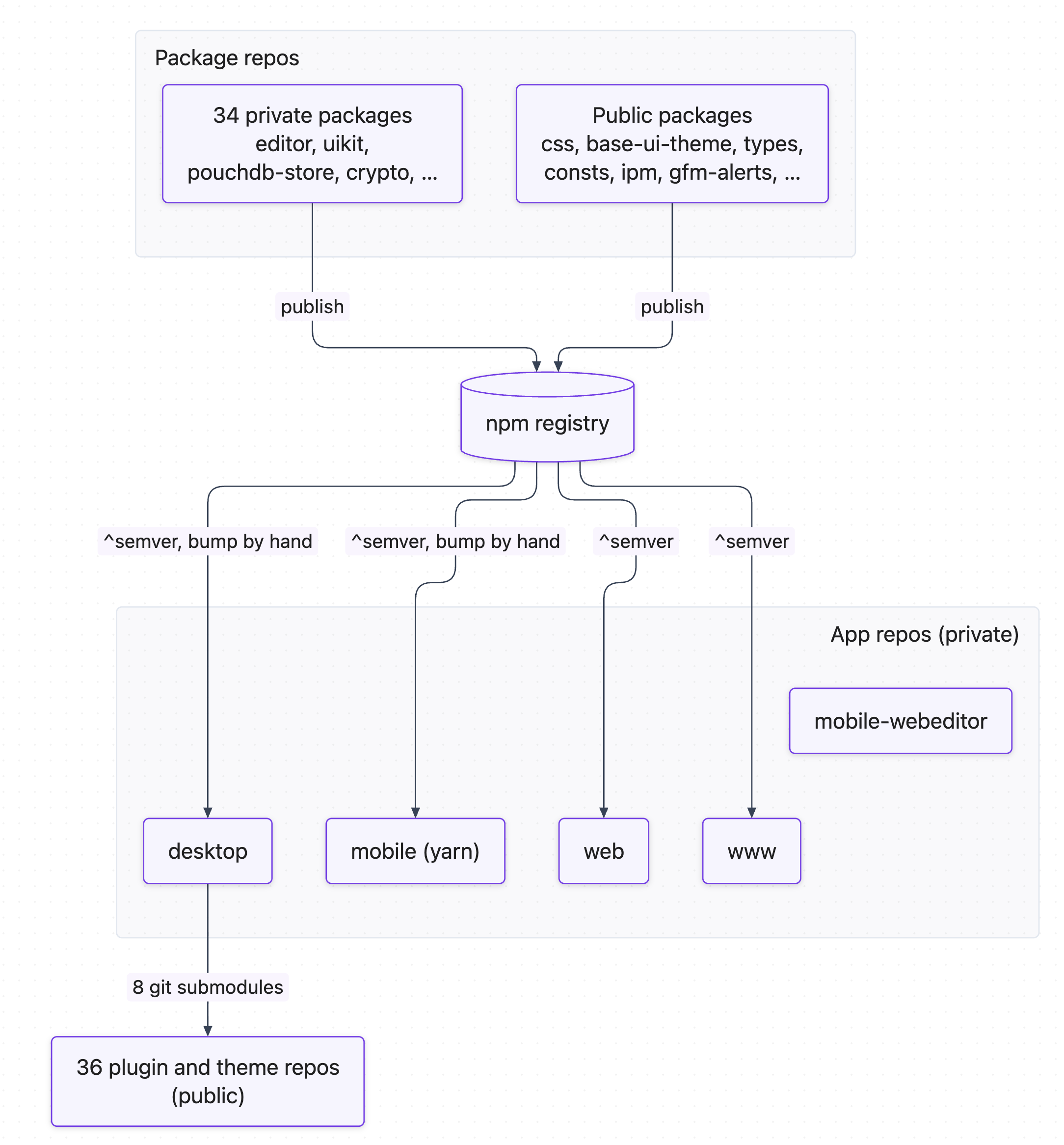
When I started using Claude Code, I kept the same structure, and at first it simply sped up my traditional workflow. But the more I relied on agents, the more friction I felt.
AI makes a lot of changes, blazingly fast, so my workflow became the bottleneck. I had set up trusted publishing on npm, so GitHub Actions published new versions automatically. Still, after every change to a package, I had to wait for the publish run to finish before an app could use the new version.
Agents also make many changes that span multiple modules, and keeping the module structure in shape became painful. Because each task was spread across several repositories, agents often missed shared constants, functions, and APIs.
I think my job now is to help AI make fewer mistakes. One way to do that is to give the project a shape where AI can quickly understand the whole picture: where to look and where to add things. That's why I decided to move to a monorepo.
How I moved 39 repos in without losing a single commit
The transition wasn't that simple. I have an Electron app, a React Native app, and a web app, each with its own tech stack and package manager (my server-side code stays in its own repos). Most packages used pnpm, but the React Native app used Yarn, so I had AI switch it to pnpm.
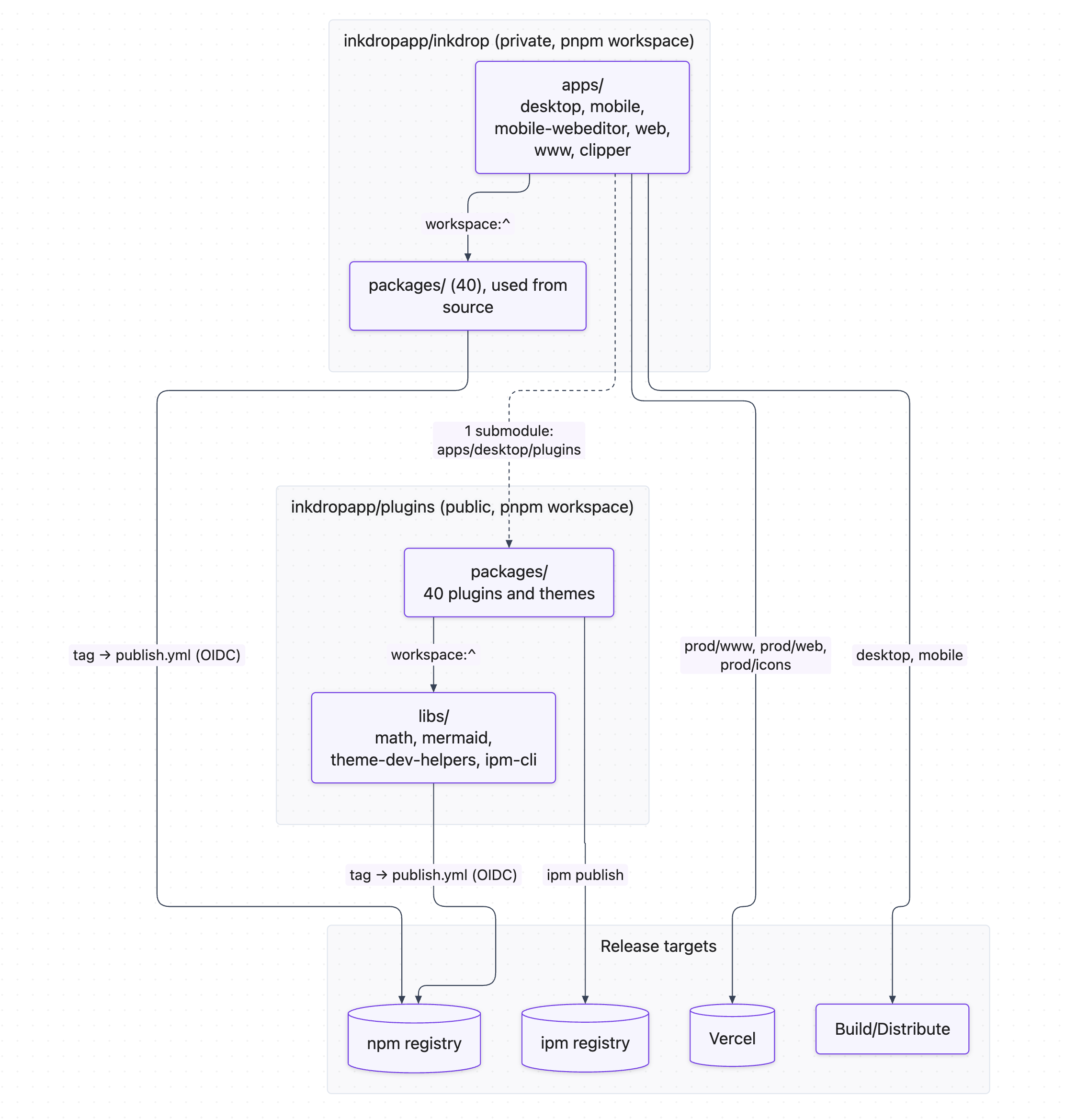
Some of my repositories are public, as contributions to the open source community: for example, React Native modules and tools that help developers build Inkdrop plugins. Those can't move into a private monorepo. Everything else moved in, and the repository is now a single pnpm workspace.
I used git filter-repo to bring each repository in with its full git history. For each repo, it moved every file into its new folder (for example, apps/desktop or packages/editor) across all past commits. It also renamed the tags to the <package-name>@<version> format, like @inkdropapp/editor@0.7.0, since every repo had its own v1.0.0. And it rewrote bare issue references like #123 in old commit messages to inkdropapp/<repo>#123, so they still point to the right repository. Then I merged each rewritten repo into the monorepo with git merge --allow-unrelated-histories.
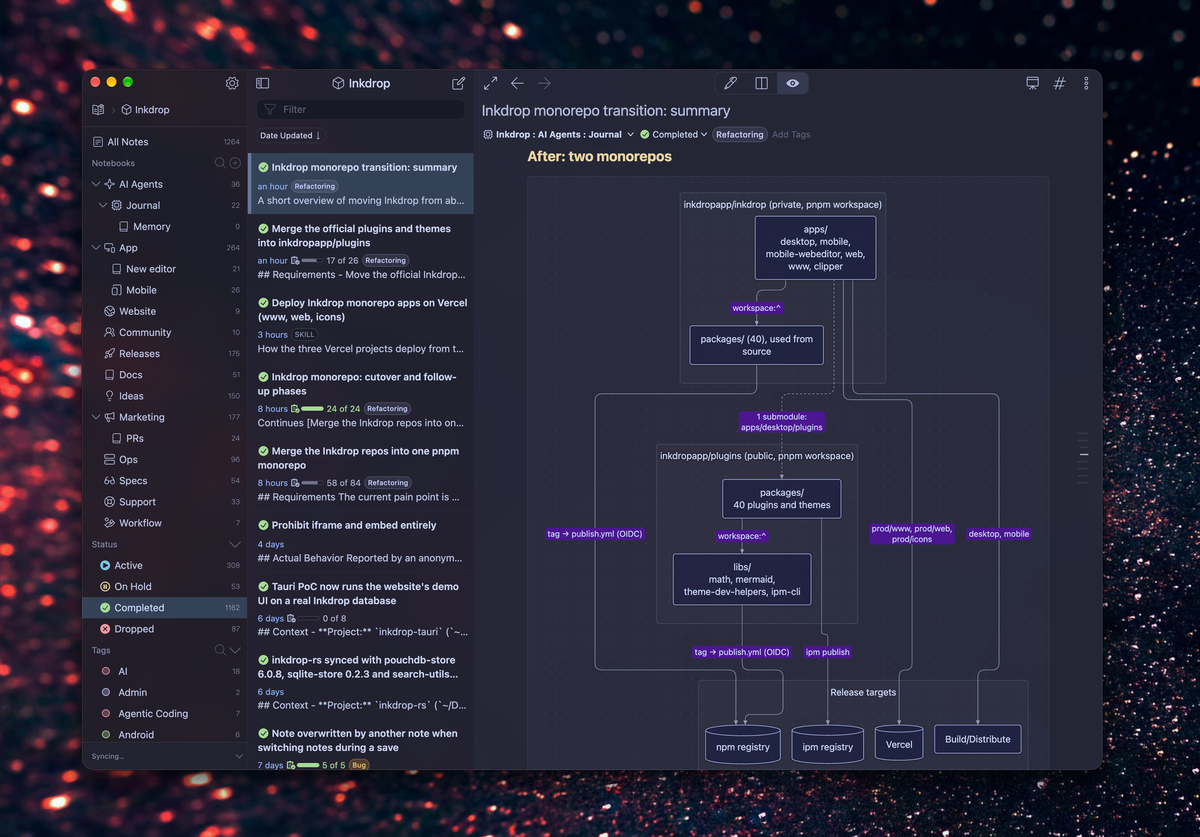
For the plugin-related repositories, I made a second, public monorepo (inkdropapp/plugins). So now there are two monorepos, and the release flow looks like this:
Chores: Unifying the toolchain
With everything in one repo, I could also unify the toolchain. Some modules still used ESLint and Prettier, so I migrated them all to Oxlint and Oxfmt, which now run once from the root.
I also tried Vite+, a unified toolchain that bundles Vite, Vitest, Oxlint and Oxfmt behind a single vp command. I was already using most of these tools in my modules, so switching looked easy, and its task caching promised a faster loop with agents. But in my case, its type-check cache reported a broken TypeScript 7 project as passing. With agents, that's risky: they see a green check and move on. There also wasn't much build time to save in the first place, so I decided not to go with it. I'll try it again in the future.
Gearing up for a faster loop
This work took two days to finish, and I'm happy with the result. Now, my agent and I can quickly update modules and keep them aligned in a single change, and I can comfortably create a git worktree for each task. Before the move, a task that touched several repositories needed a worktree in each of them, and that was painful. So, this transition has already paid off.
Inkdrop's codebase is over 10 years old. If you also have an old project split across many repositories, I hope this helps you rethink how you work with agents.
I have so many ideas to improve my app, and I'm so excited to work on them starting next week. That's it! Thank you for reading.